Loading...

Unik Design System — The powerful Design Language
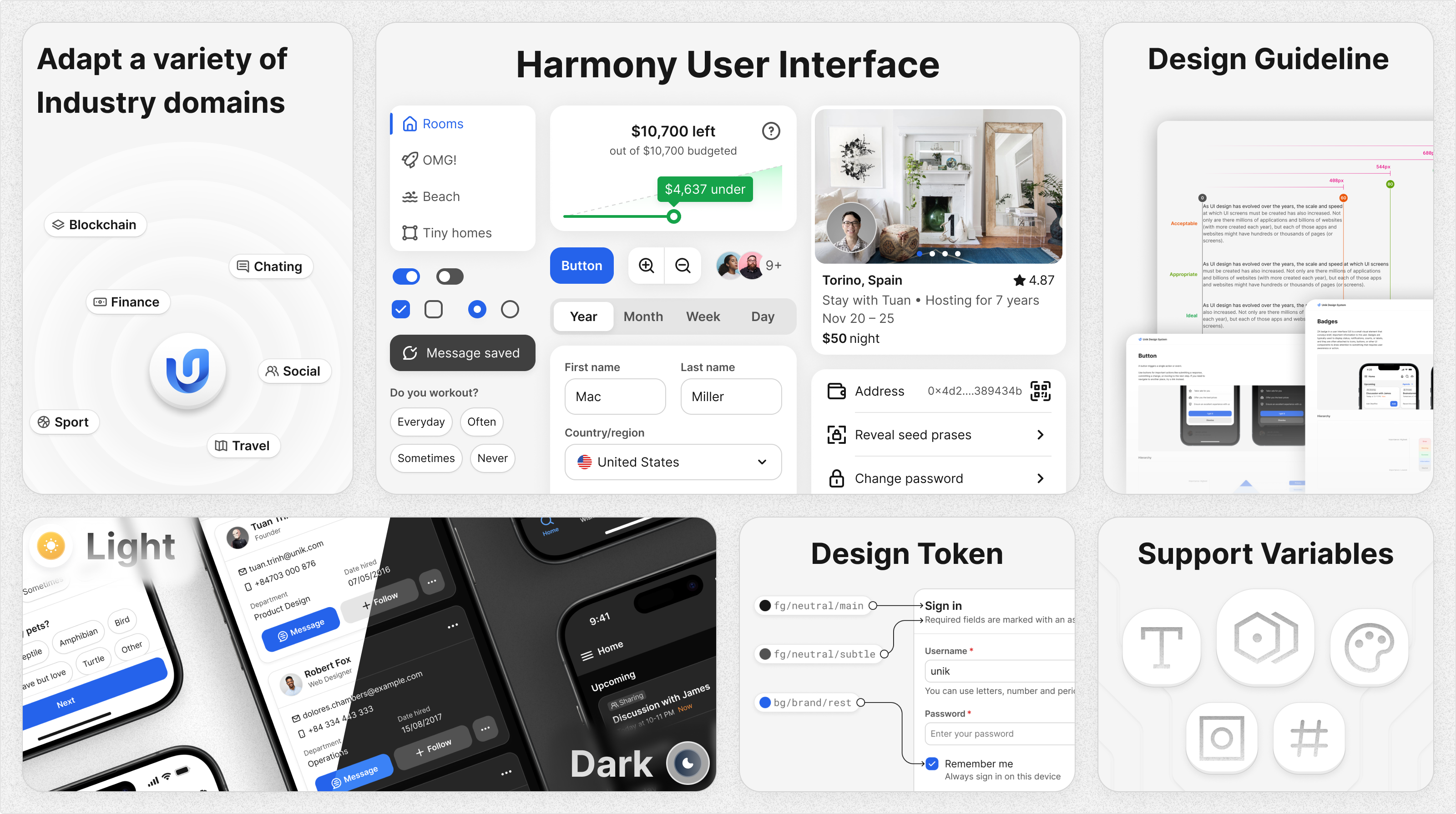
Overview
Unik Design System is synthesizing the quintessence of design languages around the world. The core values that help the business owner find a good solution that meets the complexity of the product, such as Adaptability and Scalability. With the spirit of innovation, Unik aspires to create a powerful design system.
Design Principles
Here are the Principles to create delightful experiences for end-users.

Consistency
Consistency reduces the cognitive load on users, allowing them to predict outcomes and navigate the interface more easily

Simplicity
Focus on reducing complexity by designing interfaces that are clean, straightforward, and easy to understand

Accessibility
Design with inclusivity in mind, ensuring that your product is usable by people of all abilities
Development
Empower scalability with a Design token approach
Design token is familiar to UX Designers and Design System Builders, with a variety of benefits:

UX Designers benefit from design tokens by achieving consistency, efficiency, and flexibility in their designs, allowing them to focus more on the user experience
- Ensures uniformity in UI elements across all screens and platforms.
- Color doesn’t convey context, but the Design token does. It makes a designer make design decisions easily.

Design System Builder benefits by creating scalable, maintainable, and consistent design systems that can adapt to changing needs and support efficient collaboration across teams.
- Allows for scalable updates across all products without breaking consistency.
- Allows for quick global design updates by changing token values.
- Easy to distribute many themes (Dark/Light) or switch to other libraries (Unik, Salesforce,…)
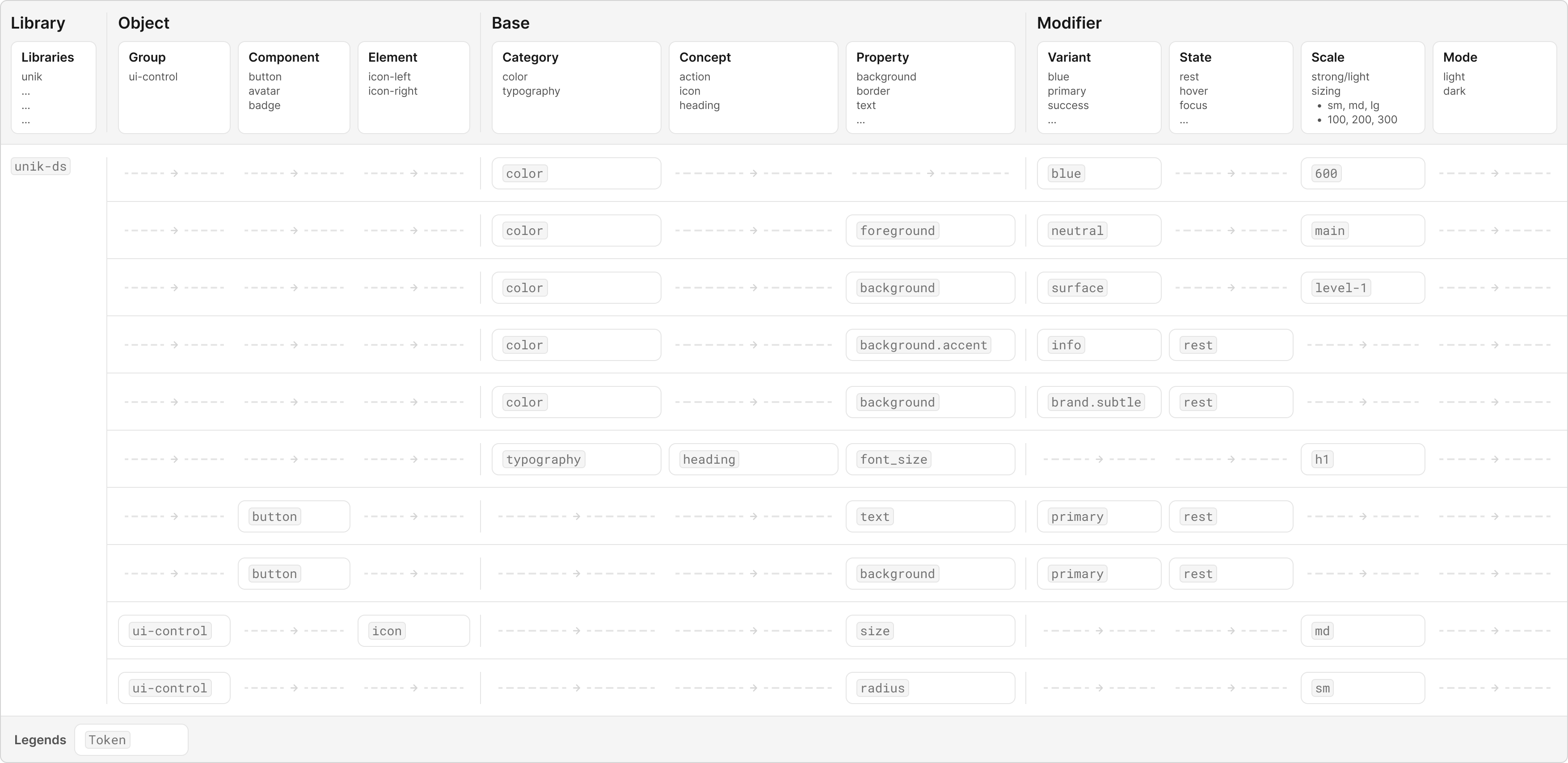
Demonstrated how the Design token works
Power of tree structure
Design tokens organized in a tree structure allow for easy modifications at any level of the hierarchy. This means that if a design system builder needs to change a specific node such as a color, font size, or spacing value. They can do so without affecting unrelated parts of the system.
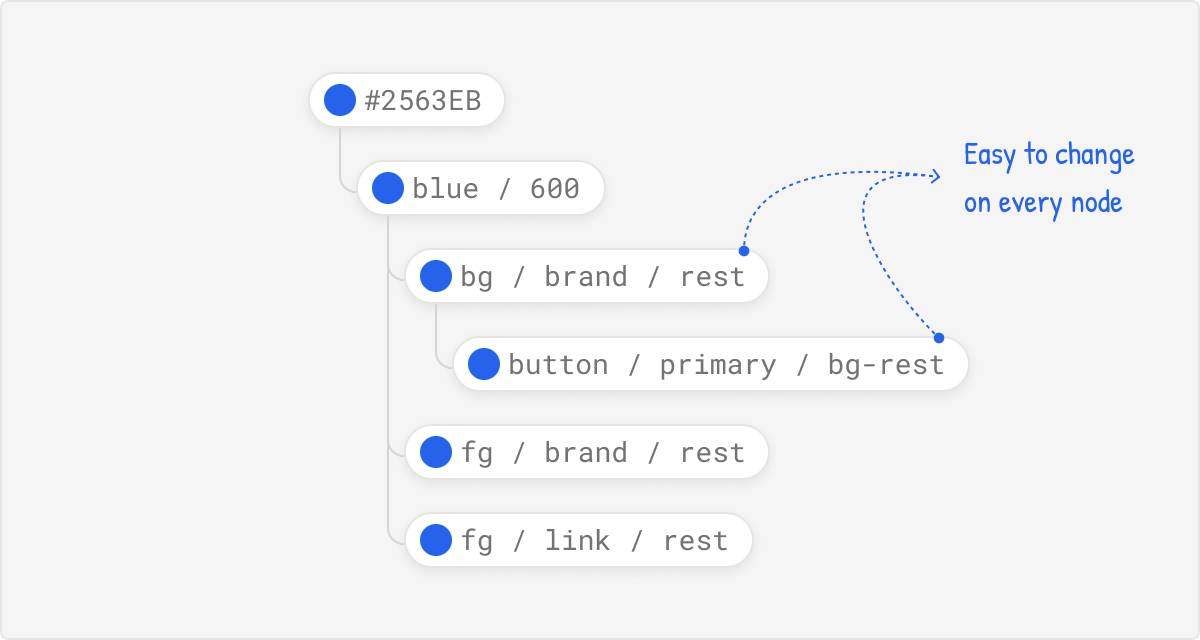
The tree structure example of the global token (primitive color) nested inside many aliases
Design token naming

An example of the Design token. Based on Atlassian Design
- Foundation: The type of visual design attribute or foundational style, such as color, elevation, or space.
- Property: The UI element the token is being applied to, such as a border, background, shadow, or other property.
- Modifier: Additional details about the token’s purpose, such as its color role, emphasis, or interaction state.
Collection set
The Design System library might contain many themes, and each theme contains many styles. With this approach, we can easily switch the library with the Figma feature supported (Switch Library)
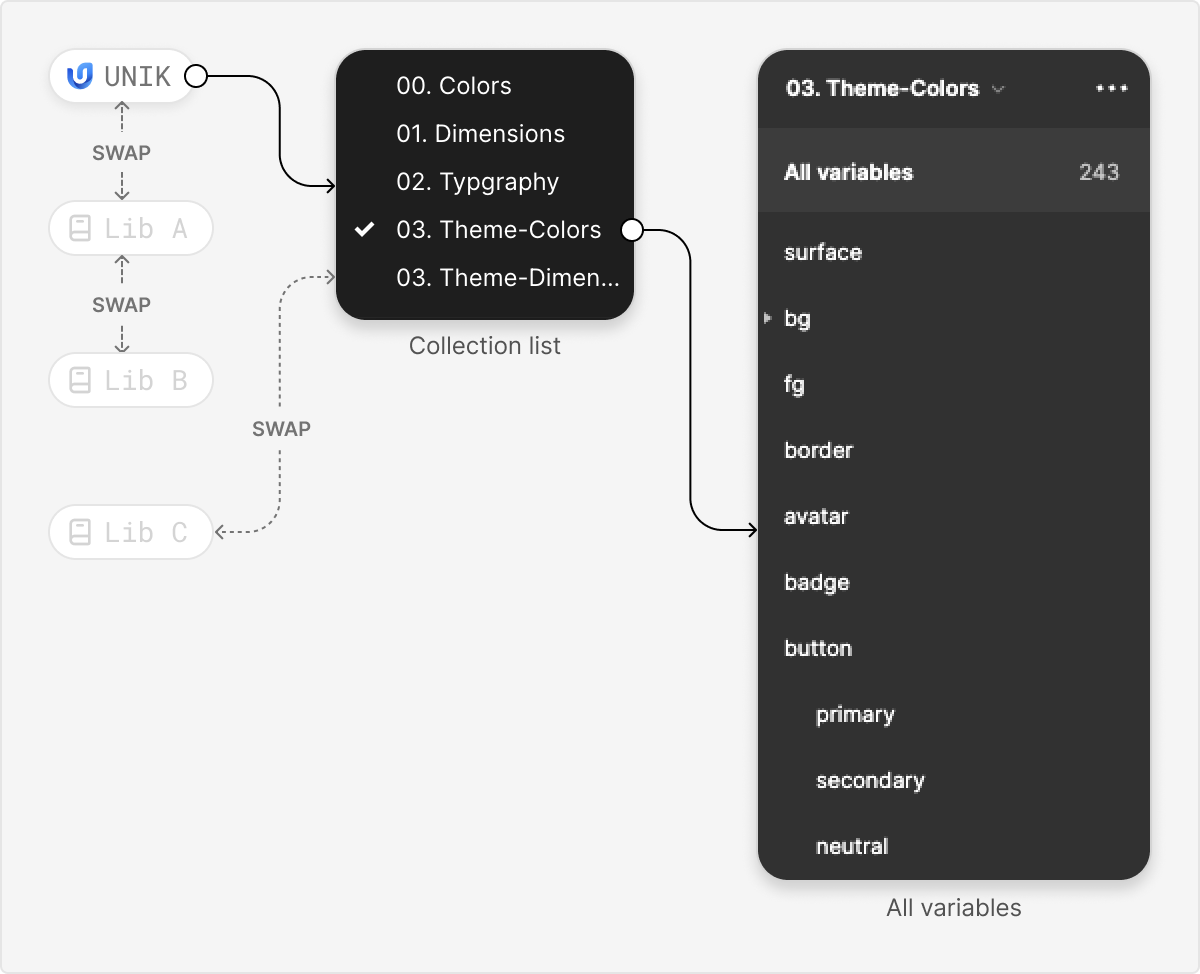
Divide into each collection to manage. If we need to be updated, just replace the collection we want to change. That’s it!
Define the Foundation
After creating the Design token, I continued to define the Foundation such as Color, Typography, Dimension, and Elevation,…
Typography
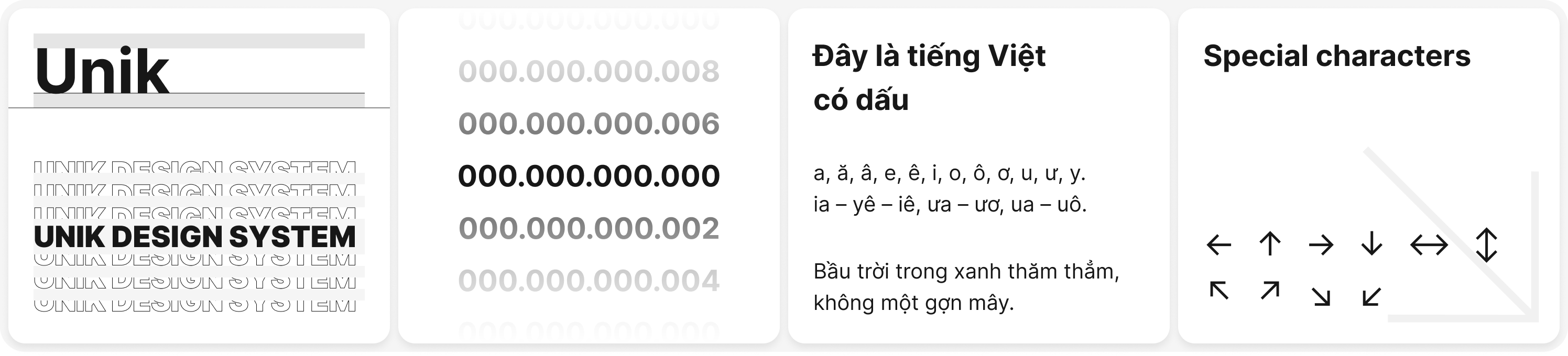
The font I chose is the Inter family which is used by many products around the world. Here are the benefits:
- This typeface displays well in Latin characters, numbers, and special characters. Especially is Vietnamese
- Supports a wide range of font weights. That enhances the visual appeal of the User Interface
- Open source, supported by Google Fonts
Color
To reduce the building time, I used the color from Tailwindcss color. Because those benefits:
- Support a variety of color palettes
- The color meets the WCAG contrast checker (the UI that I crafted after it was built)
- Familiar with the Front-end Developer and easy to import
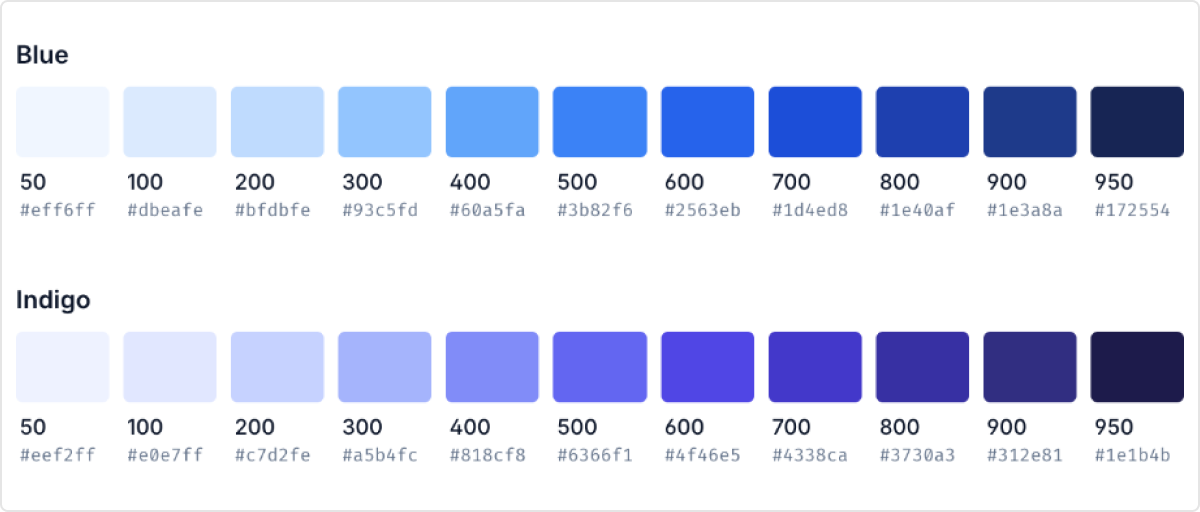
Tailwindcss color palettes
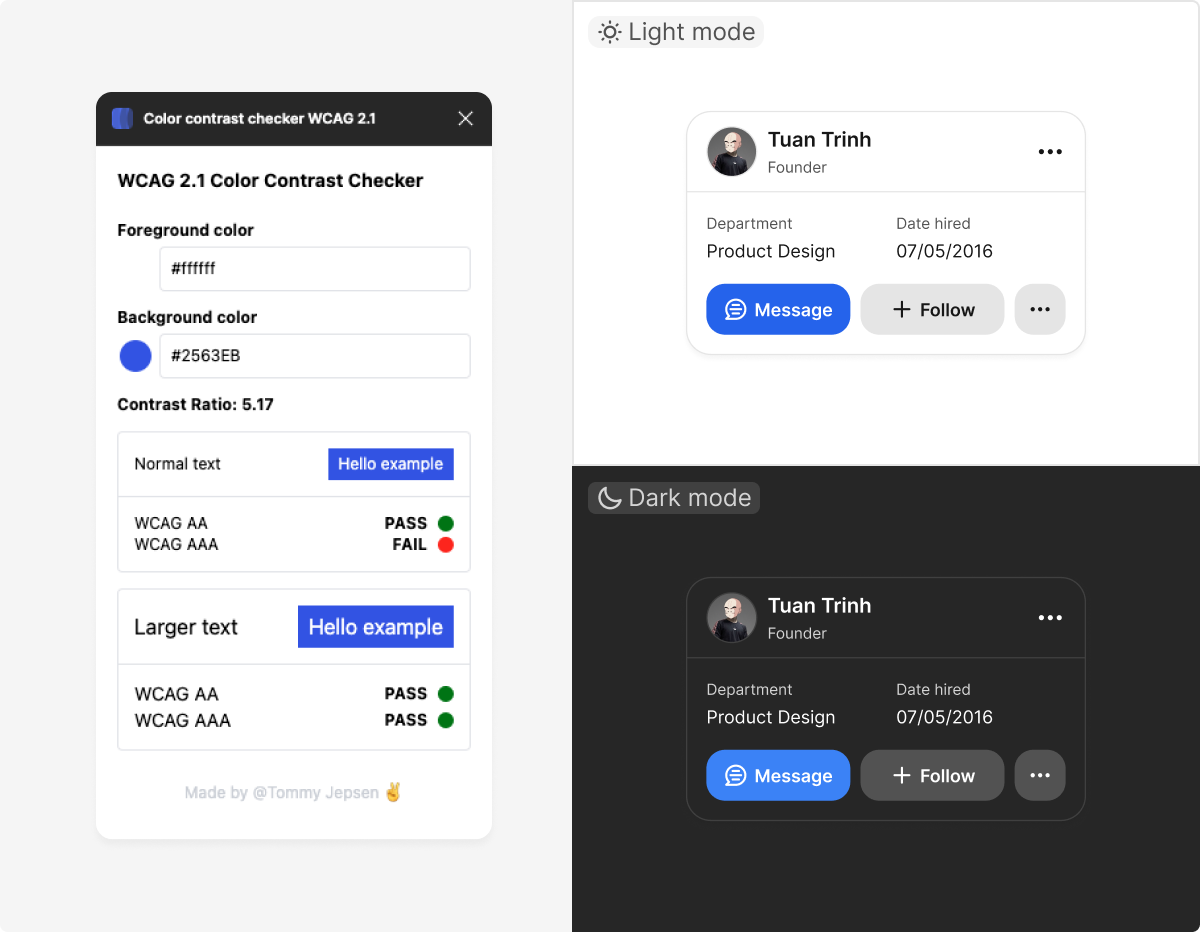
I have tested UI with WCAG standards to ensure the accessibility of user experience
Surface
Surface is important in User Interface because it defines the visual layers, depth, and hierarchy of the elements in the interface, influencing how users perceive and interact with the content. Below is each layer that I defined
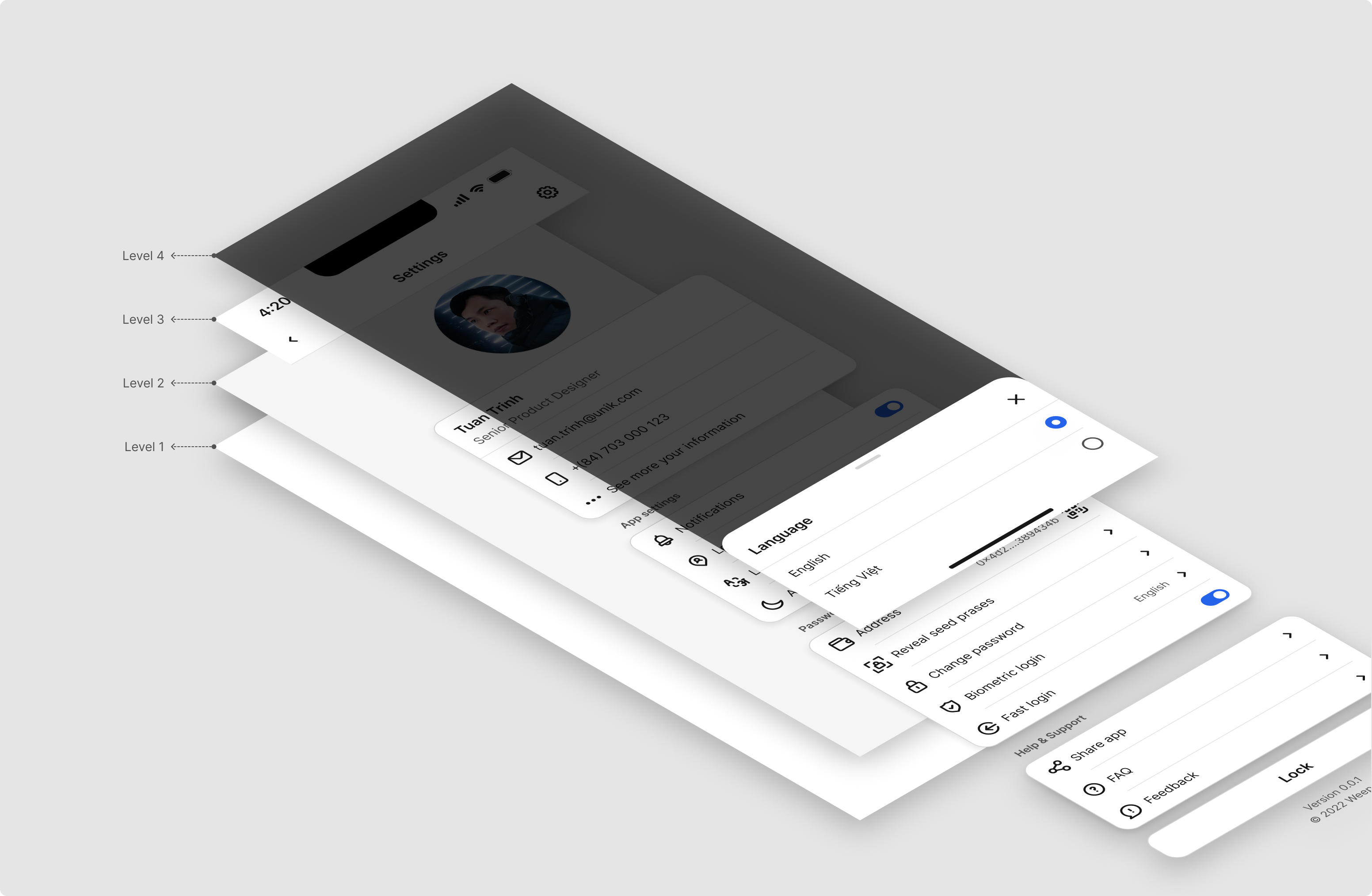
Isometric view by each layer
To avoid being lengthy, I just highlighted the main points of this project
Testing for a variety of real products to evaluate the accessibility
In addition to testing on the WCAG tool, to ensure the design can be used in real products, I have UI testing on many famous applications
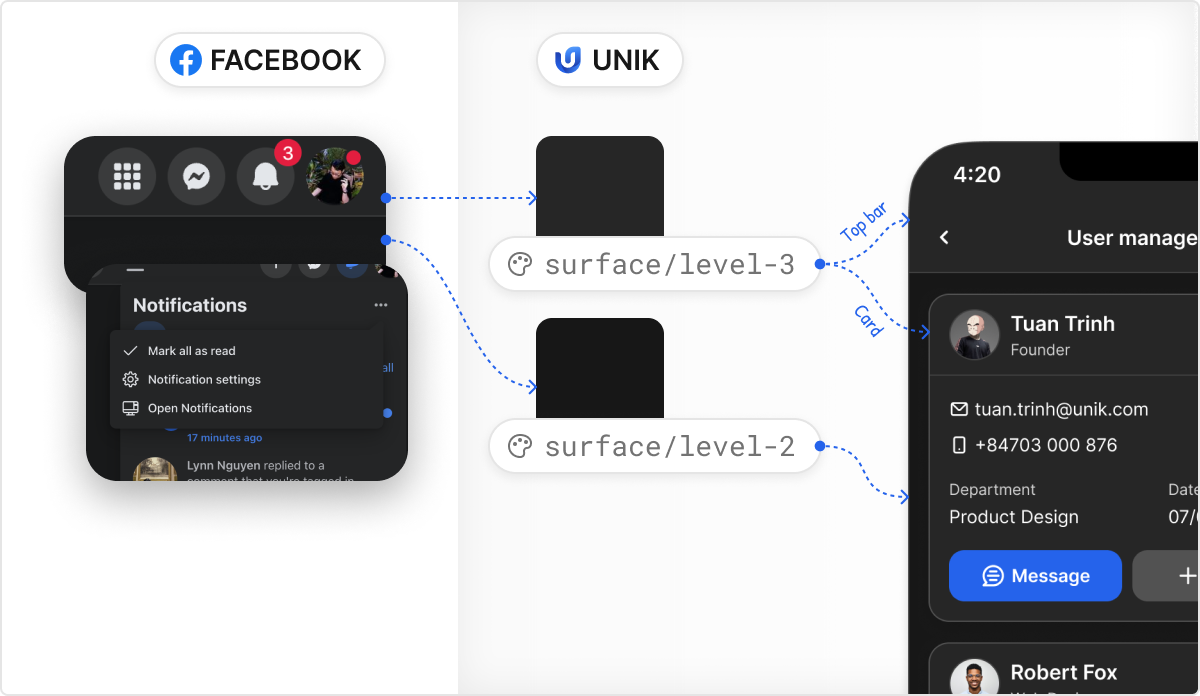
Surface color testing with Facebook Design
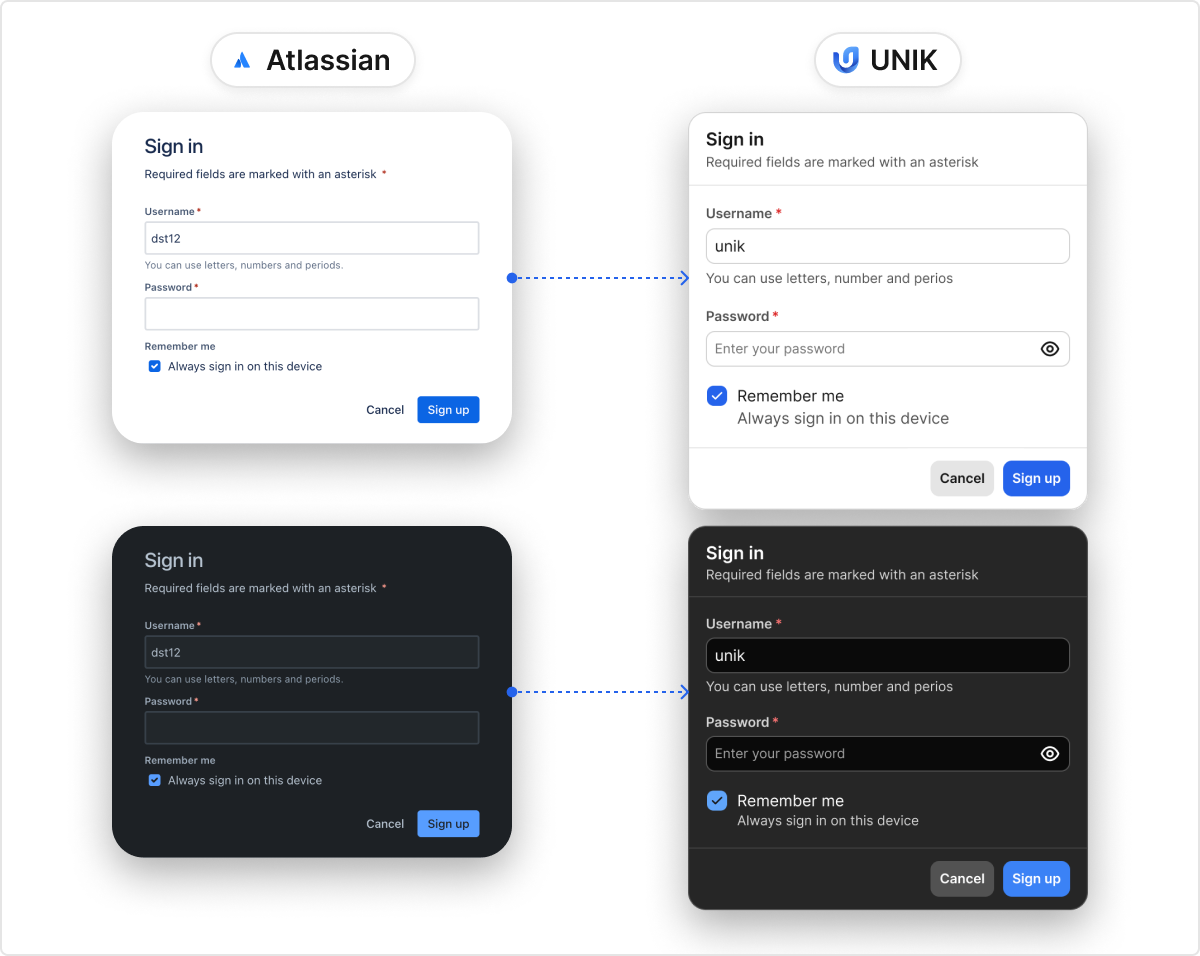
Form testing with Atlassian Design
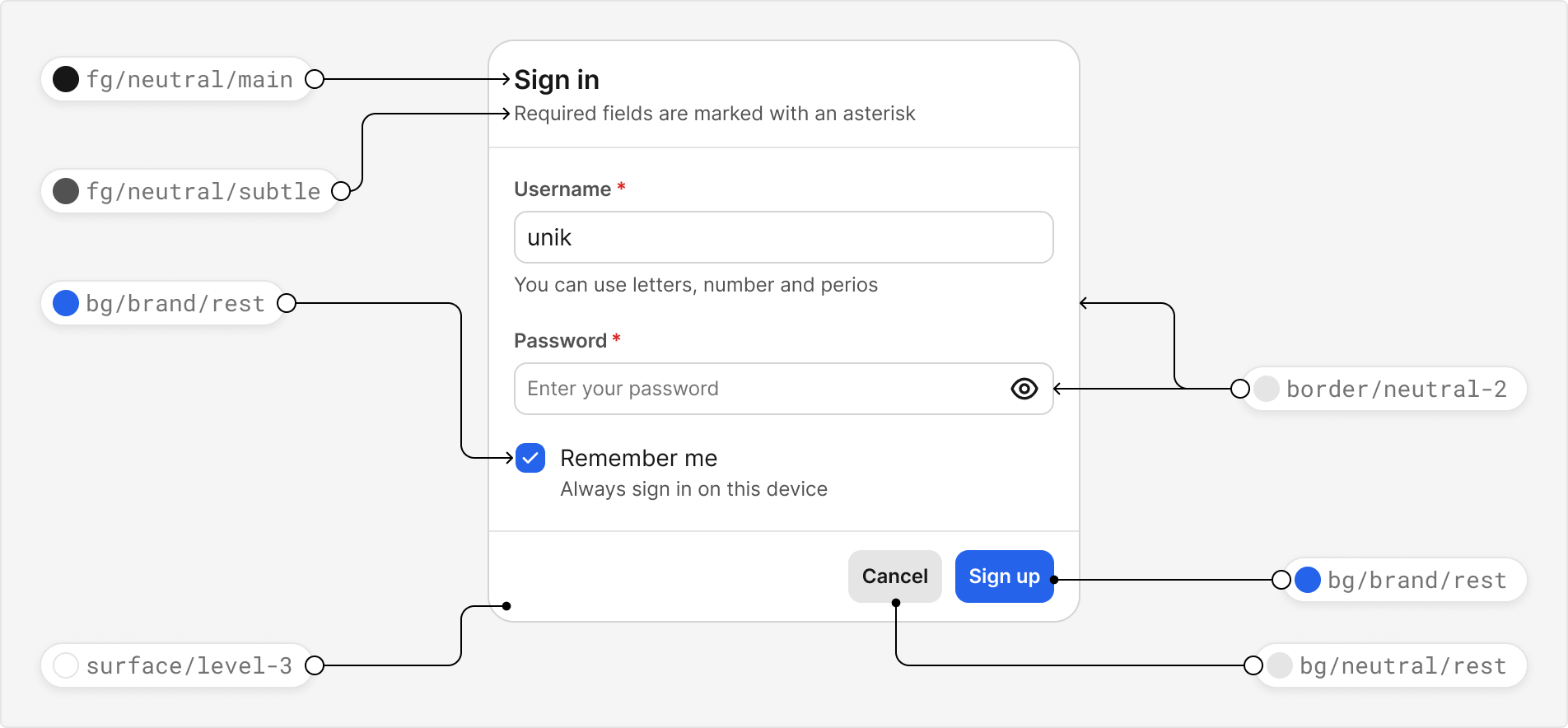
Apply Design token to UI
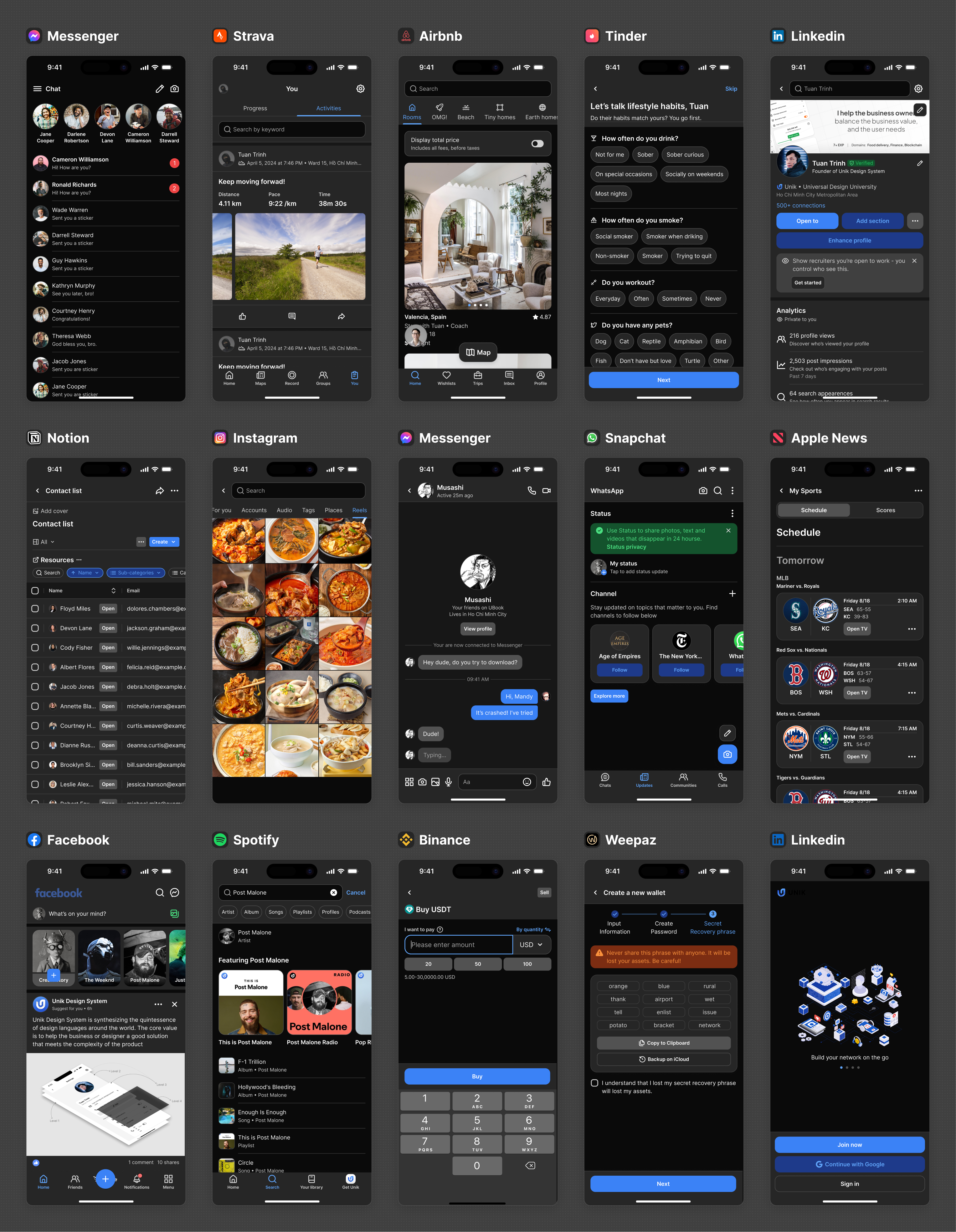
In my opinion, the Design System Language should be built for the users of the platform we are targeting. In this project, I am building a system that can serve a wide range of products, and I have not determined the specific user at this phase. Hence, I based it on the UI of top applications in the market for testing
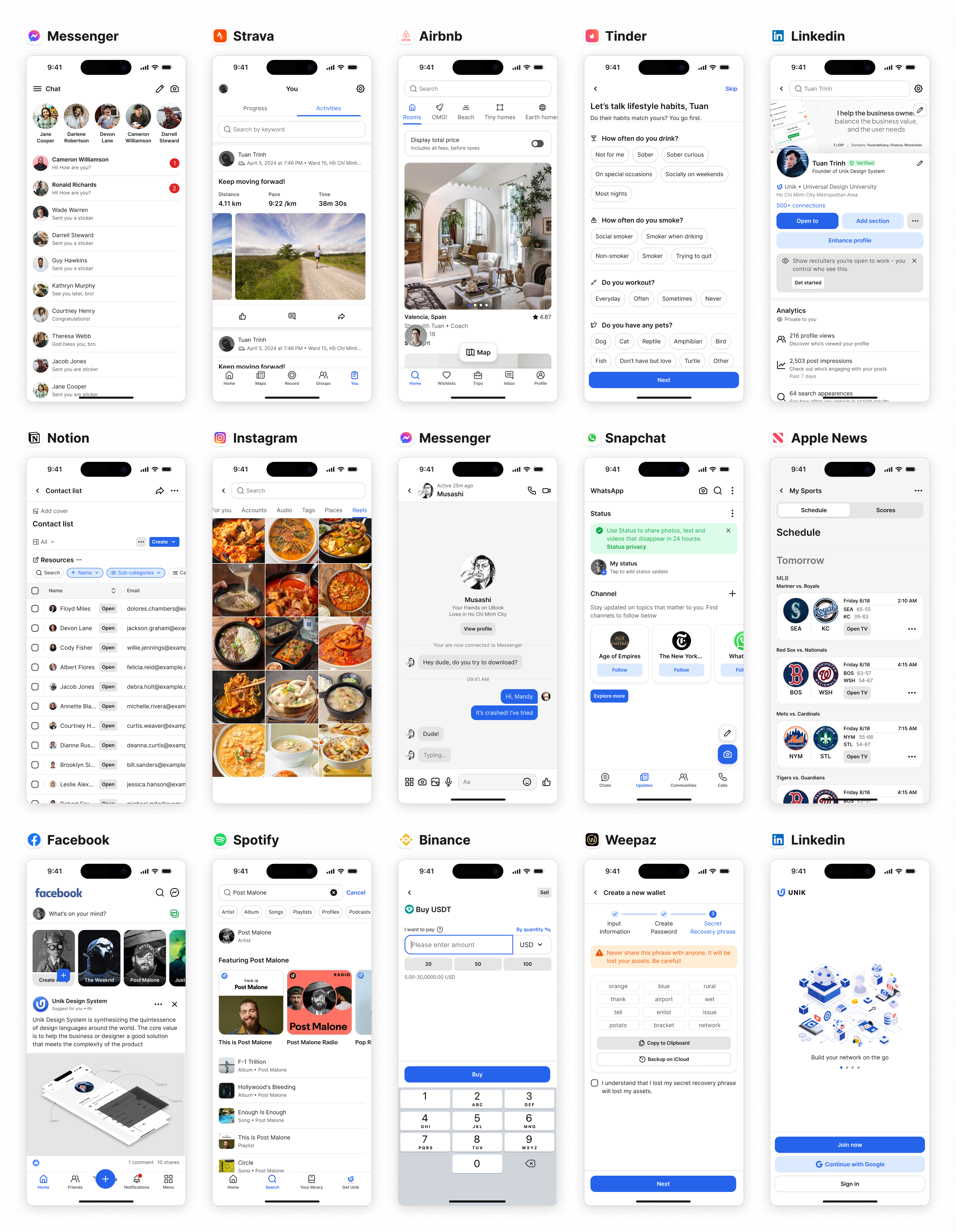
Here is my approach by UI testing based on the top applications in the market, and thousands more cases behind it
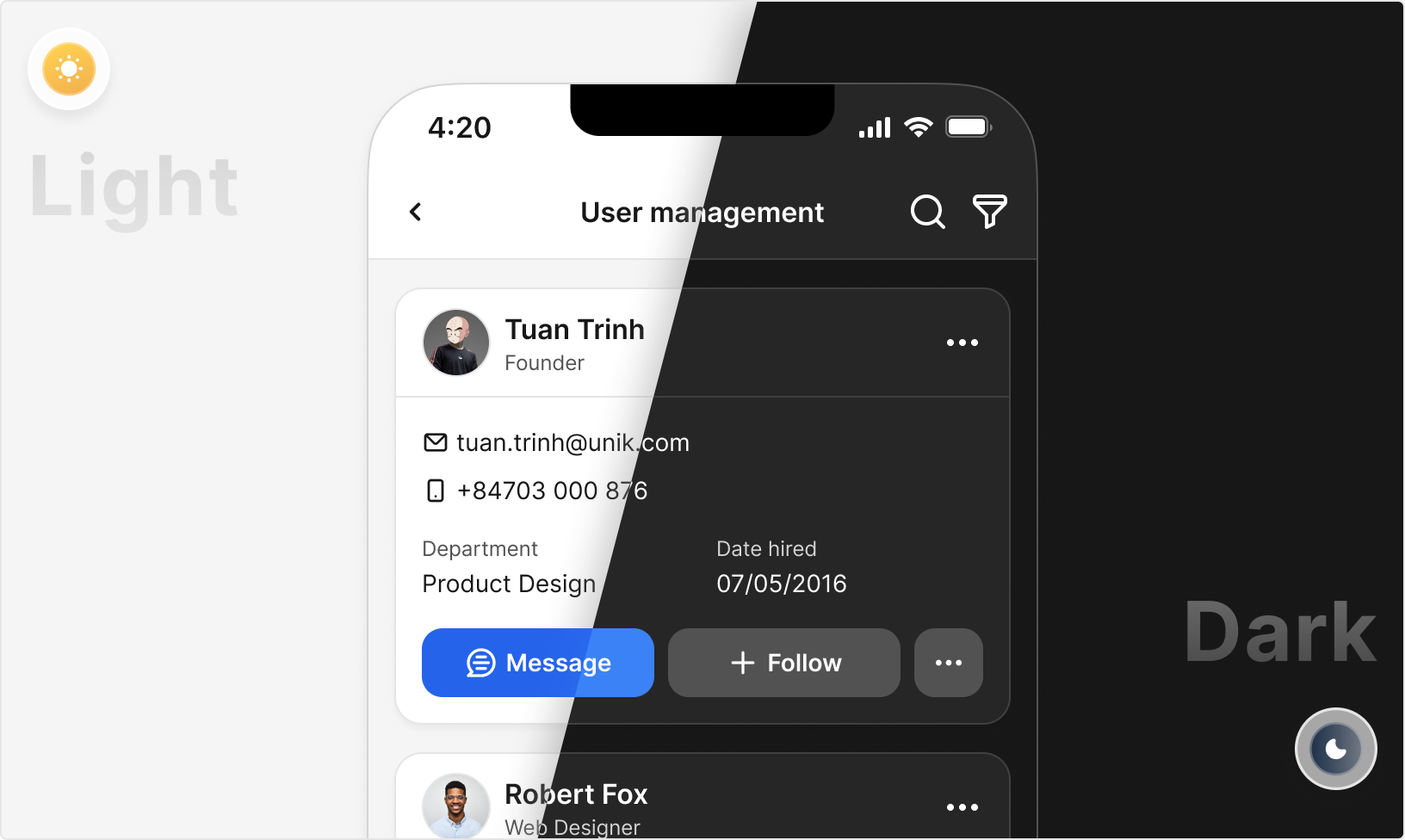
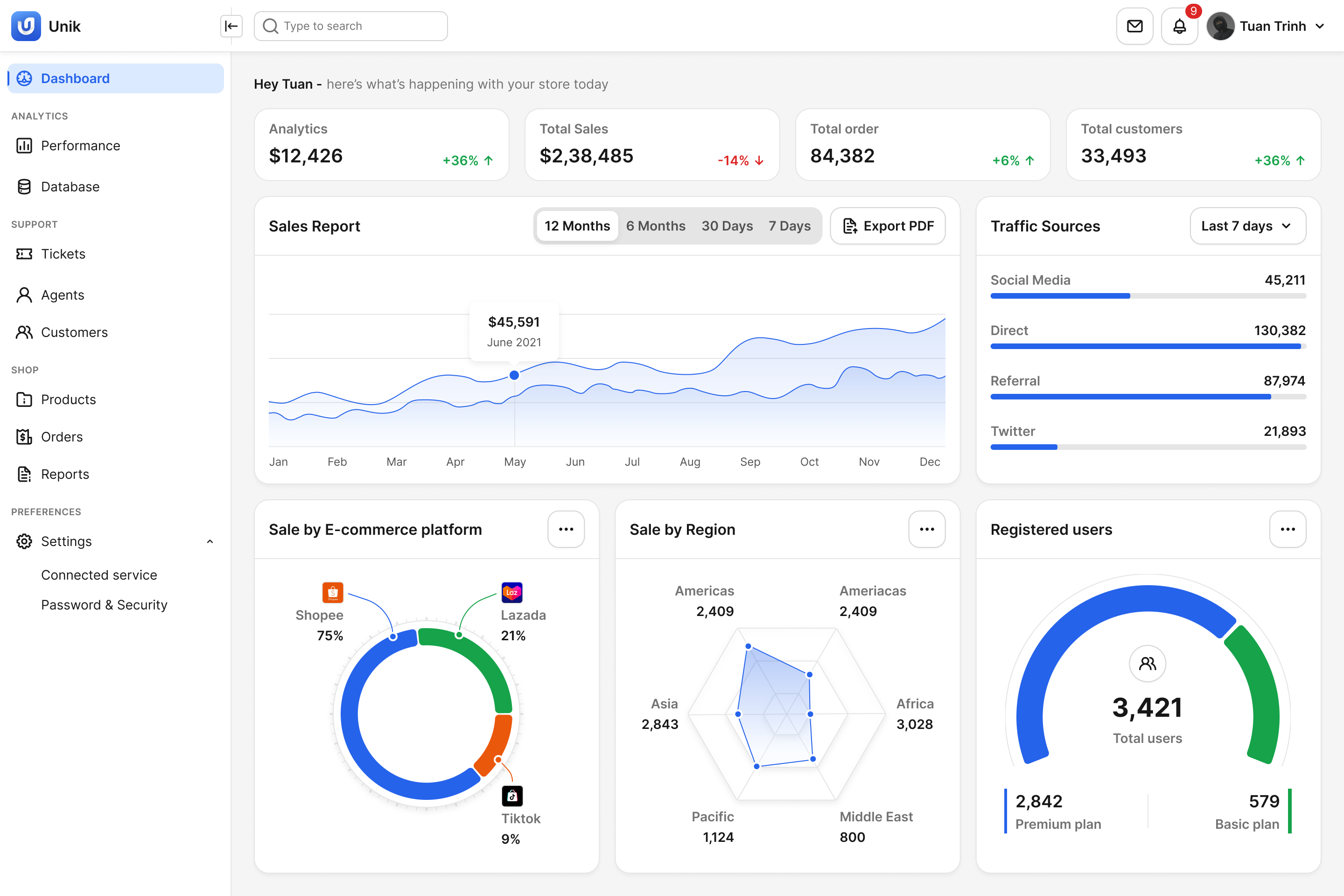
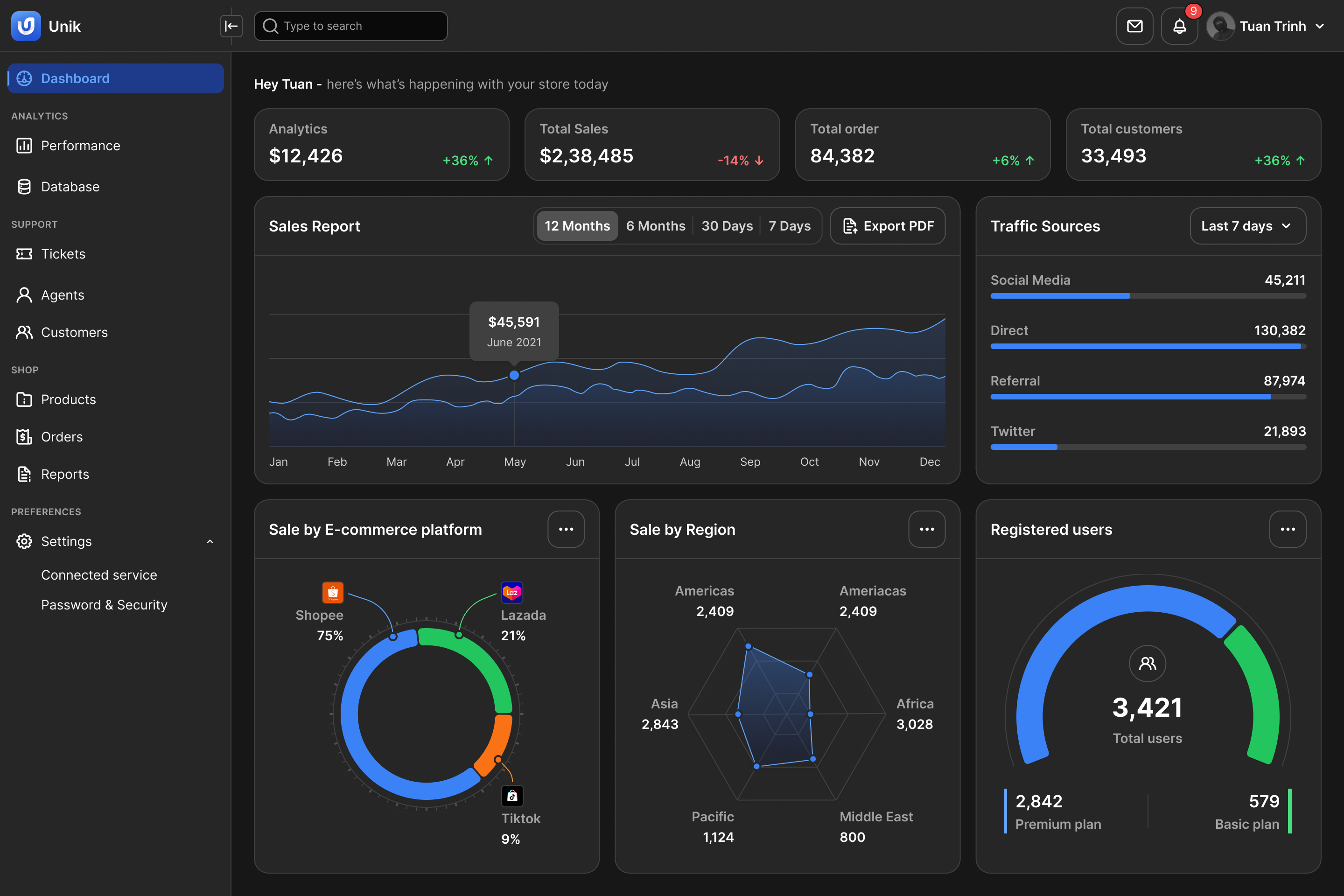
Support Dark mode
Dark mode is trending in the Design System Language, which improves the user experience for these benefits:
- Reduces eye strain and dazzling when the user works on the monitor with blue light for a while
- Make the user's eyes more comfortable when using it in a dark environment
- Saving the phone battery by using a dark color palette
- Improve user personalization by providing 2 modes (Light/Dark)
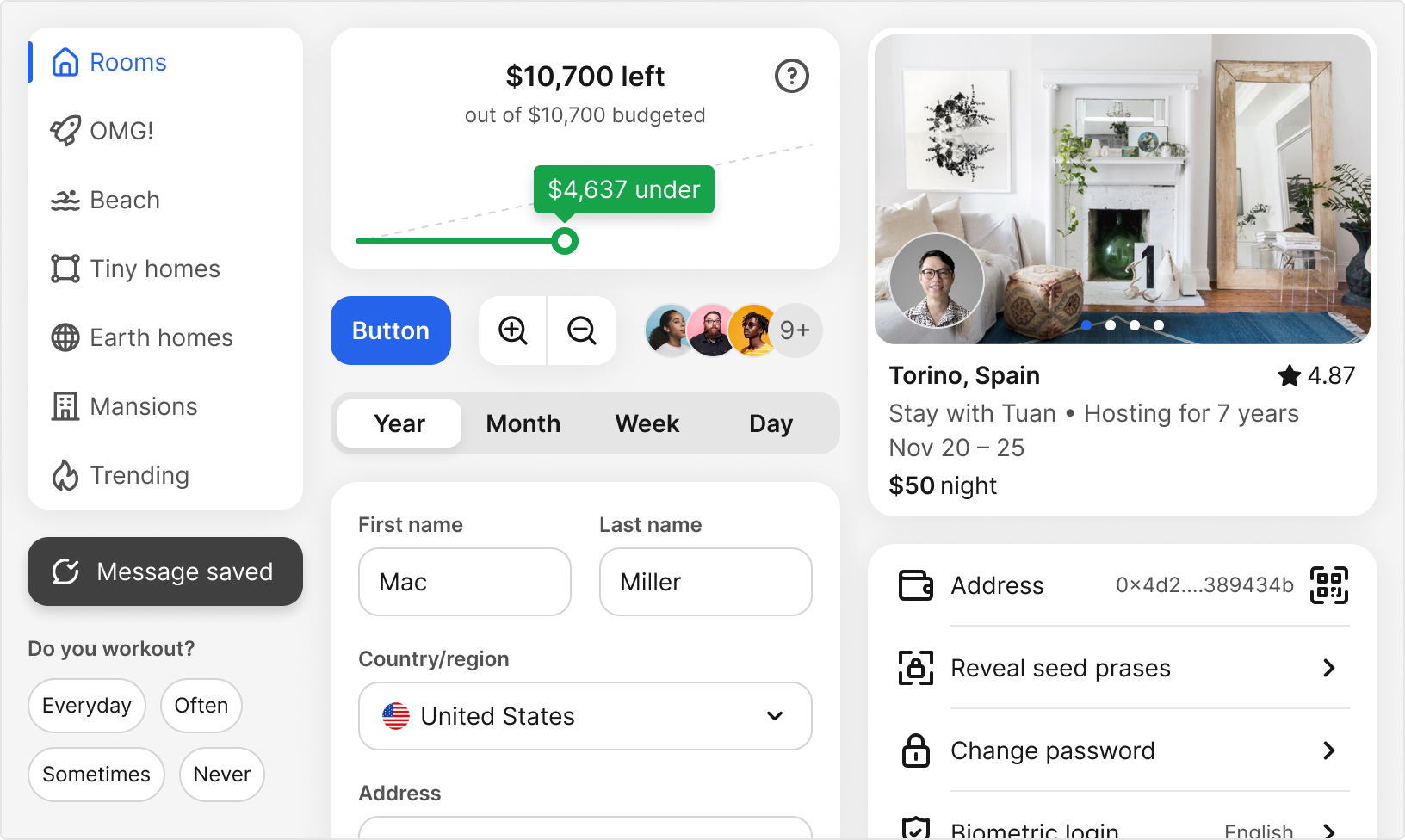
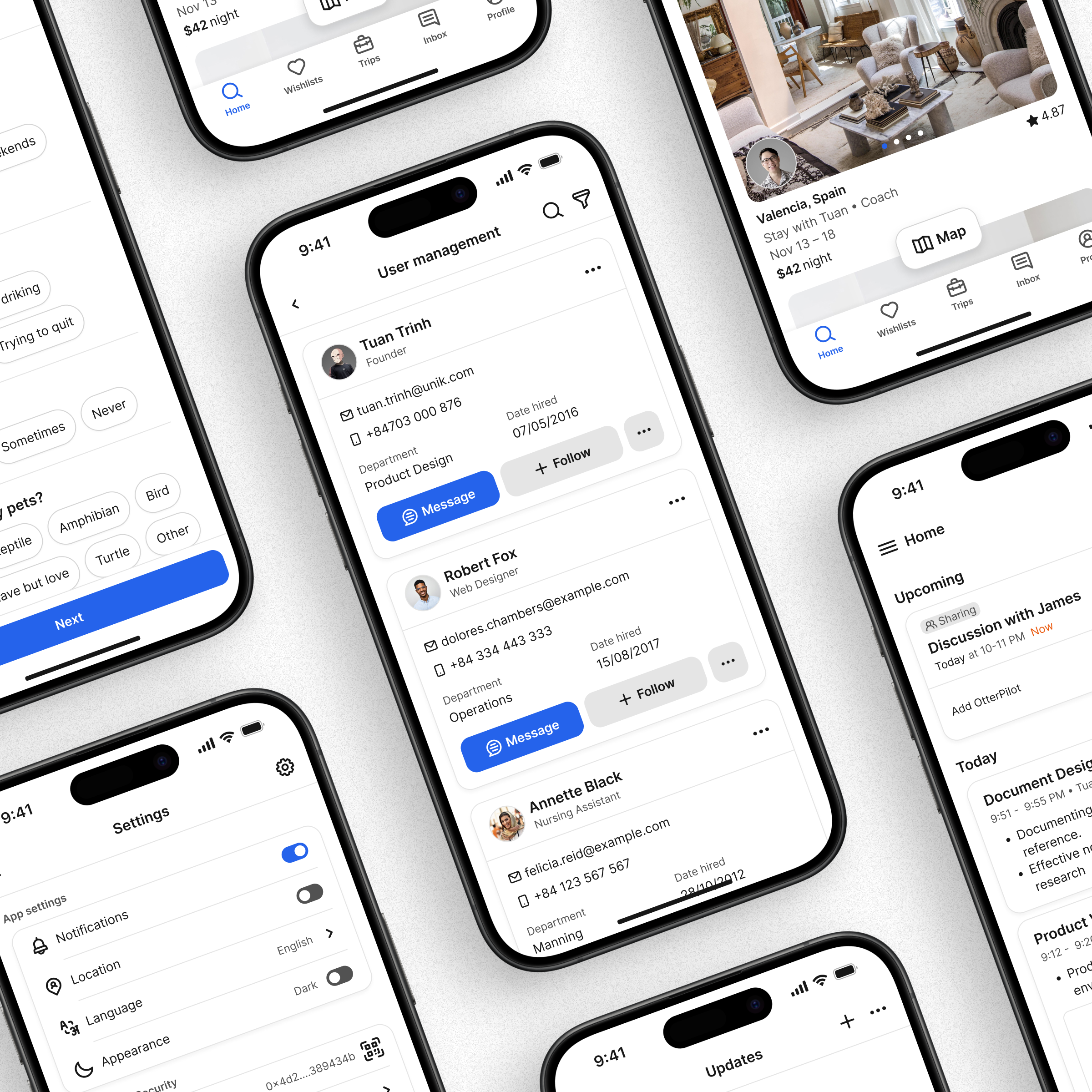
Crafting the components and UI screens
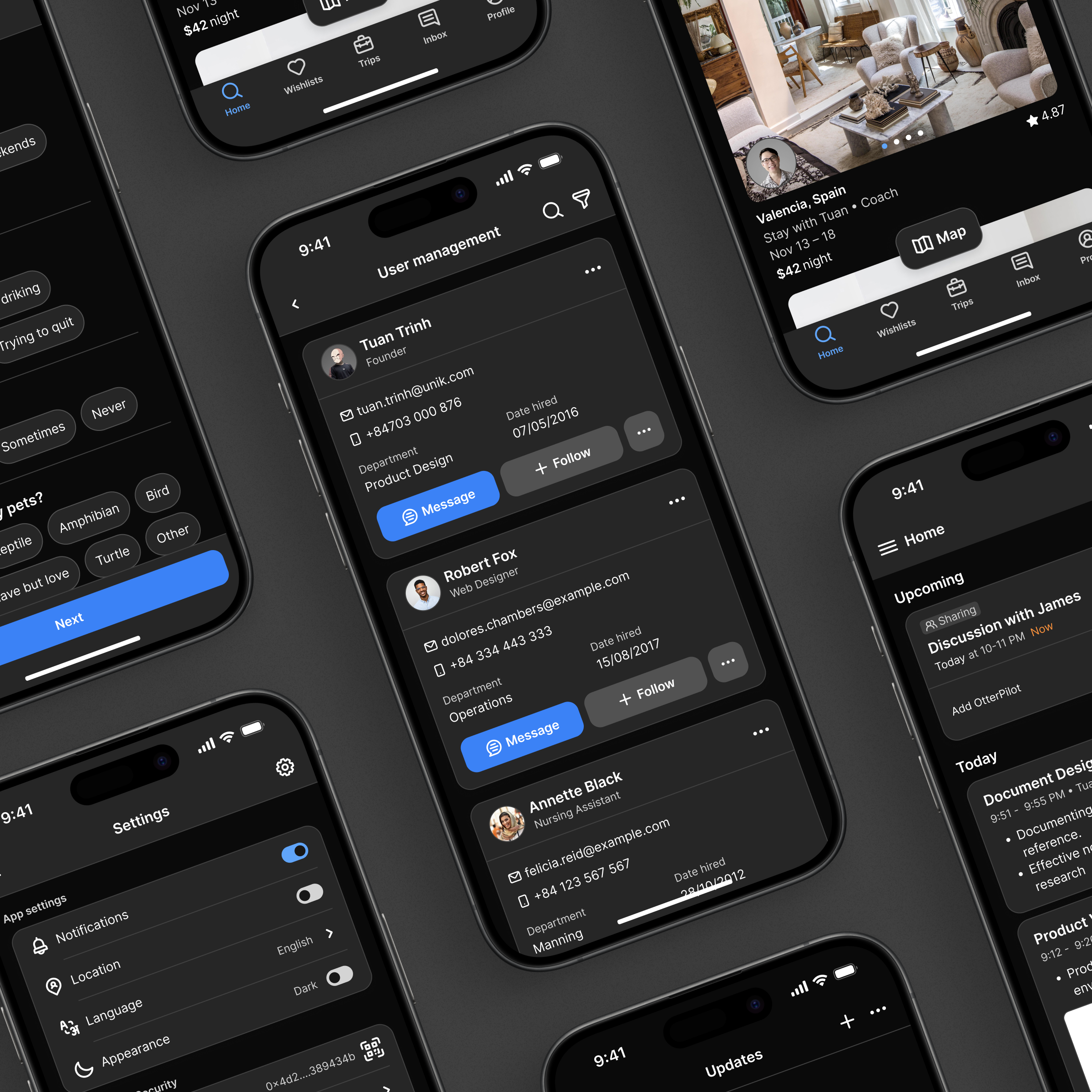
Besides, Unik Design System can adapt to the Web application
Automate & Documentation
Component optimization
Have a good structure (Design Token), the visual interface looks good. Creating a component that is friendly to use every day for UX Designers is an important goal I have to achieve
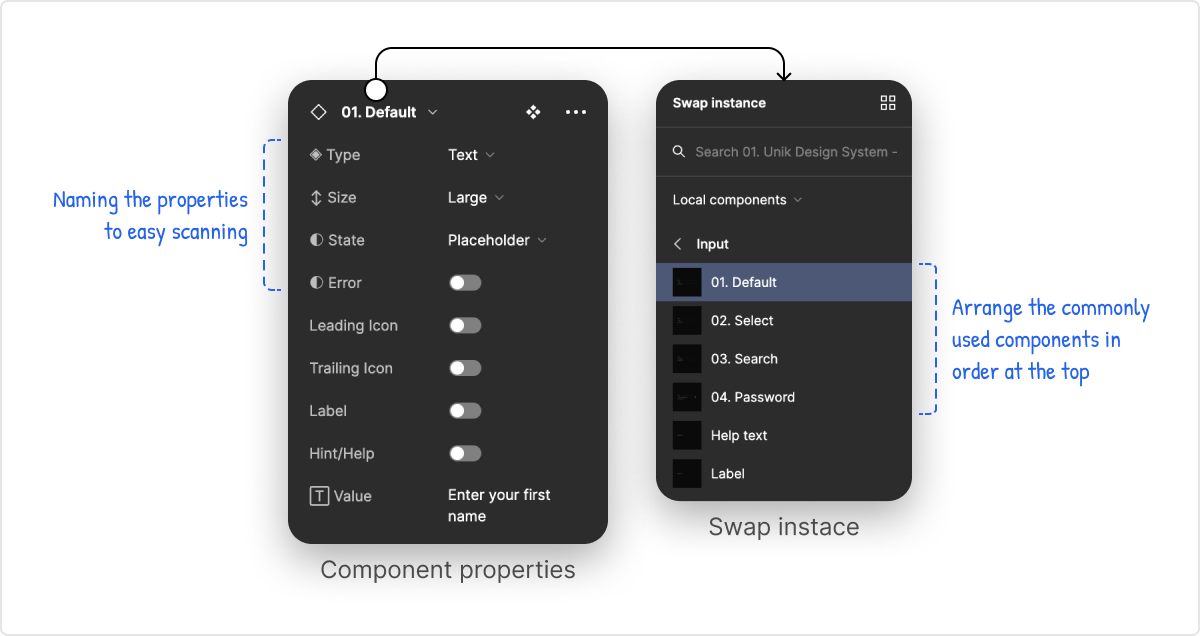
Leverage the properties feature of Figma to speed up the design workflow. Also, it reduces component creation.
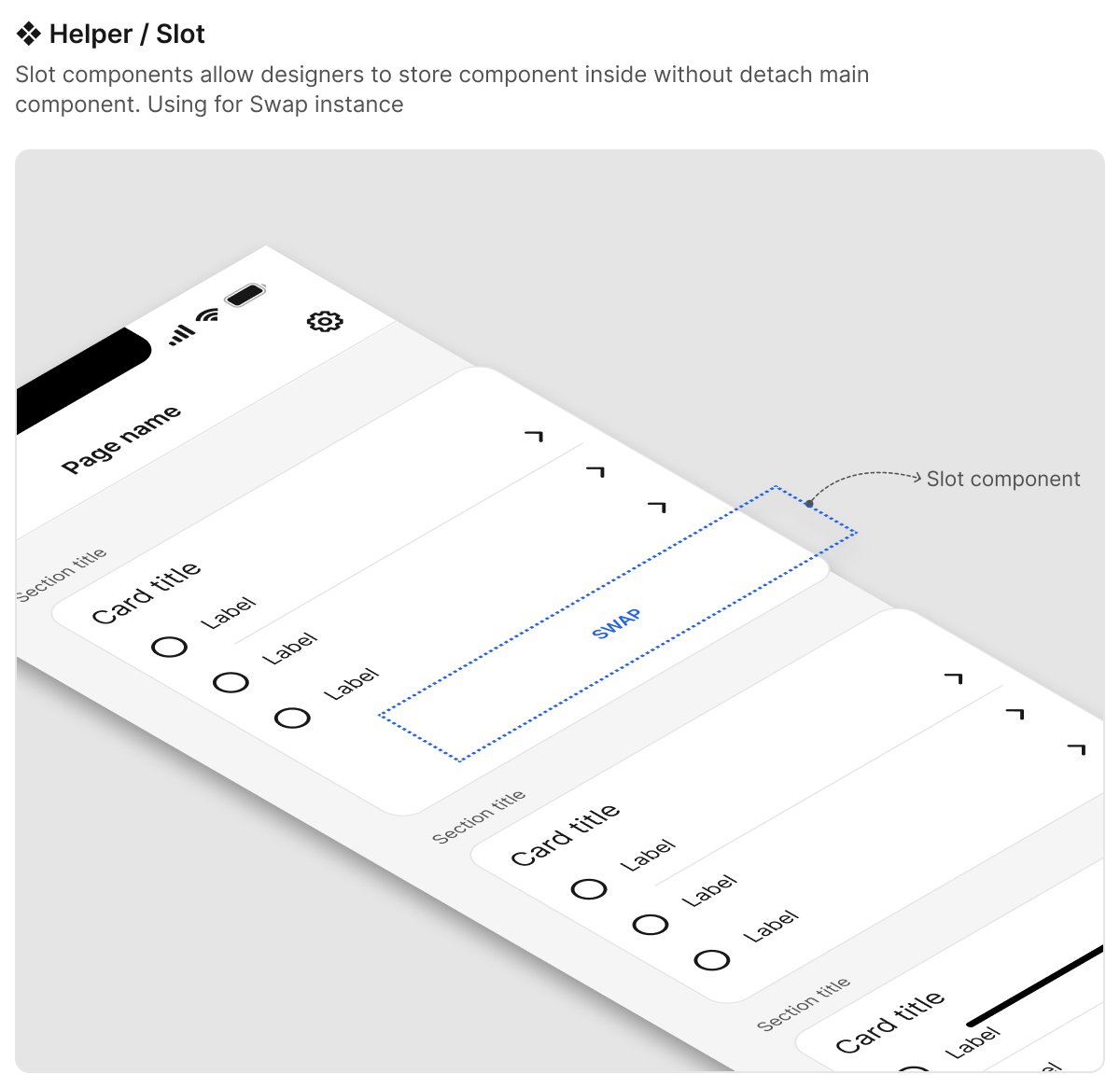
Creating the Slot component to solve the complex display case inside a component without detaching the master component, but it still follows the guidance I allow the Designer to swap it.
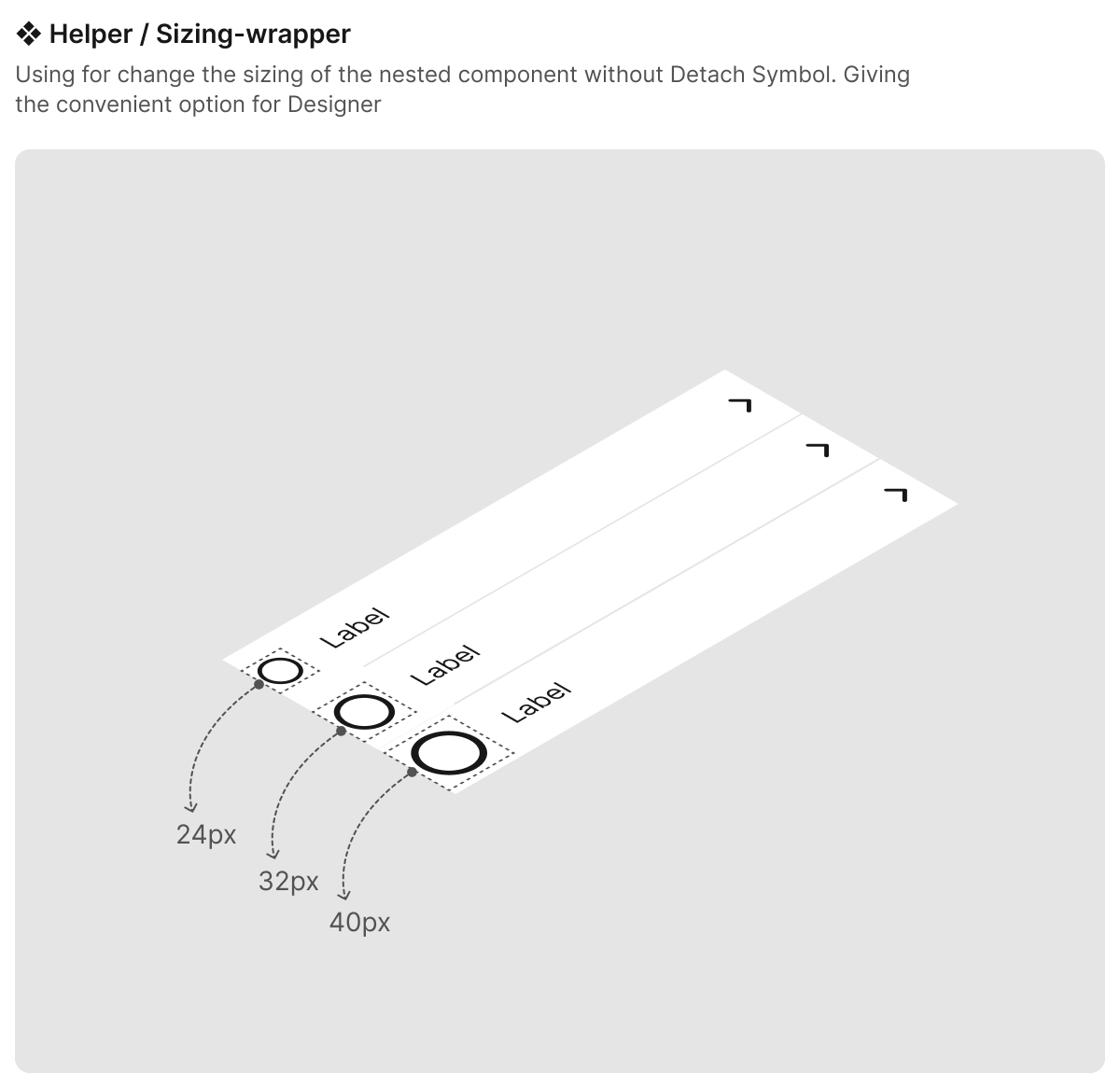
Provide the helper component that allows the designer to change the size of the component without detaching the component
Using the Figma mode to adapt multiple themes according to the product
Imagine you have many products in one ecosystem, your mission is to own a bunch of components to ensure consistency, and maintain the modifications.
With the mode collection, it reduces the cost a lot instead of the traditional way (which is managing many design systems). Just a few clicks in Figma, your product switches to a new UI with its styles (Typography, Brand color,…). Amazing, right?
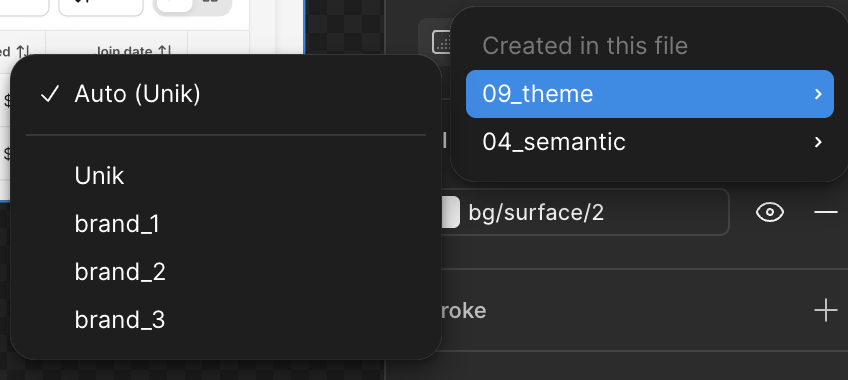
The video below demonstrates how it works
The product was applied the Unik Design System to build the UI:
- https://pitchscout.co.uk/ — The Football connection platform
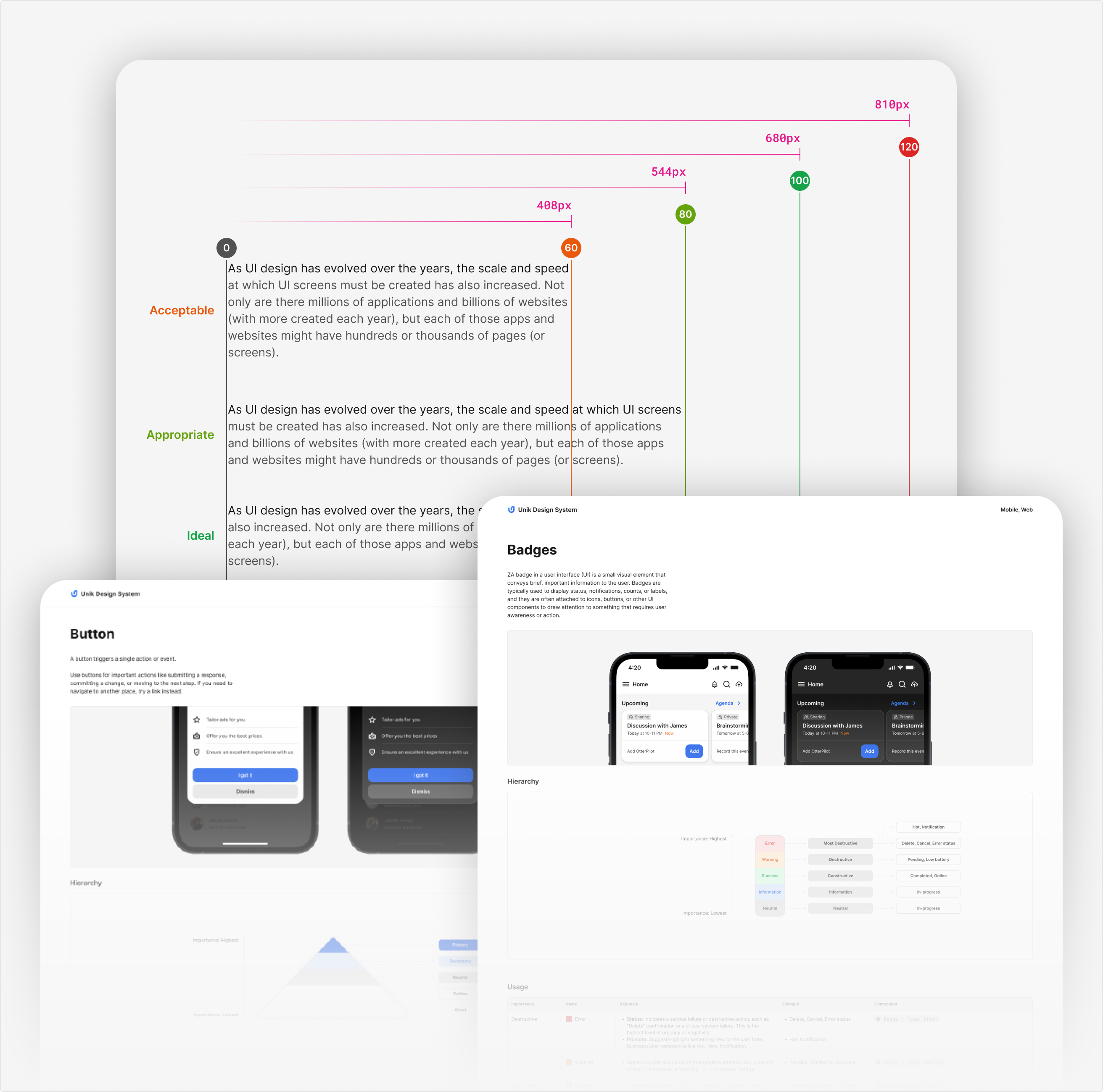
Set the rules and guidelines for the UI component
To ensure every stakeholder, such as the Designer and developer,… understands the fundamental usage of every component in the Design Language. Documenting the guidelines is essential for the team.
Conclusion
“Rome wasn't built in a day.” — Building a design system is not easy; it requires continuous improvement, user behavior research, and solving user problems when using the application. All approaches in this case study may not be completely done and need to be enhanced further in the future. I hope the content of this will benefit you. Thank you for reading.